Central Asia eSIM
How it works
- 1
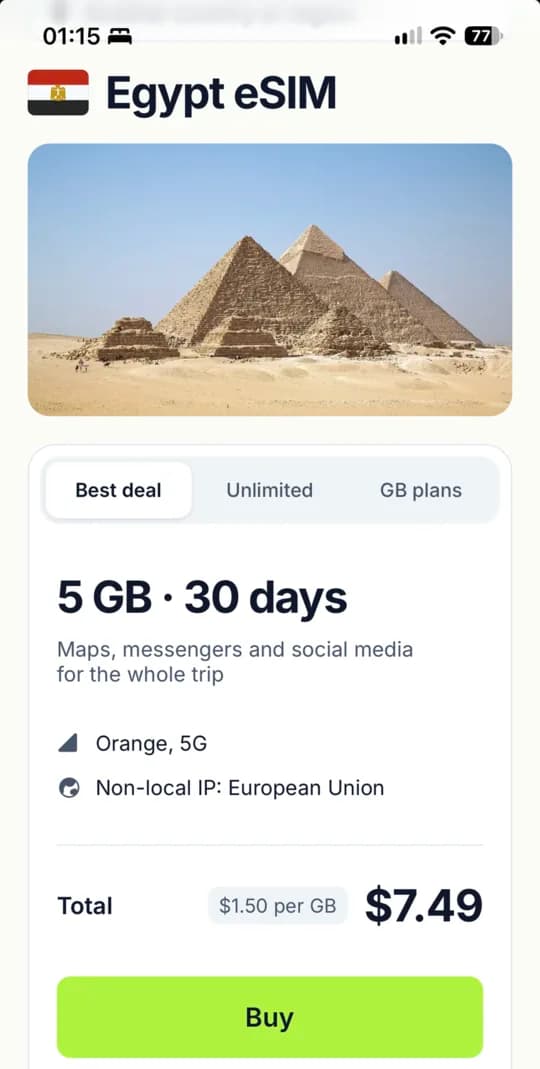
Pick a country and plan
Find your destination and compare data, days and networks.
- 2
Pay and get your eSIM
Your QR code shows up on the order page and in your inbox.
- 3
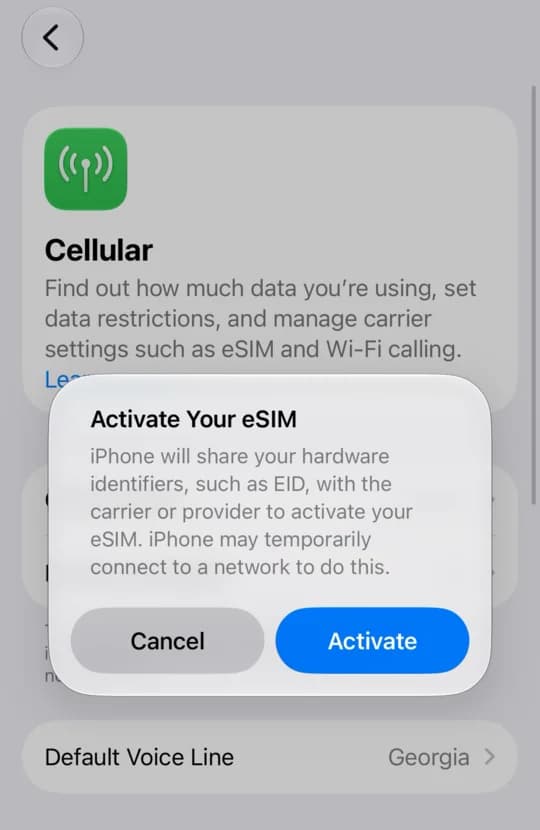
Install before you fly
One tap on iPhone, a QR scan on Android.
Common questions
What people ask before buying and during the trip.
or email support@skipthekiosk.com
Why isn't my eSIM working?
Usually it's a setting. Check that the eSIM line is on and selected for mobile data, data roaming is on for it, and airplane mode is off. Still nothing? Turn airplane mode on for 10 seconds and off again so the phone finds the network. If there's still no internet, write to us with your order number.
How do I check how much data is left?
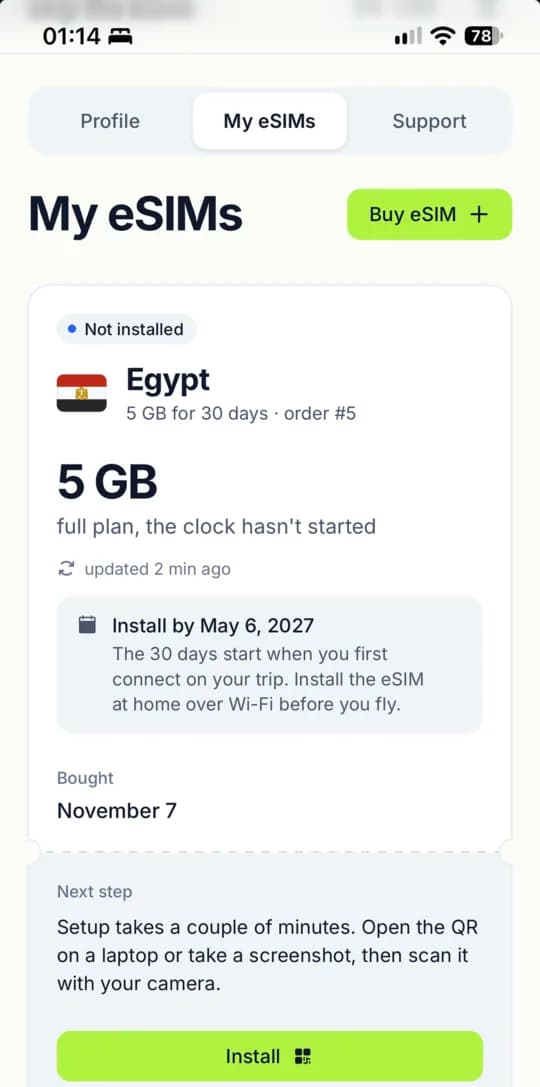
Open My eSIMs in your account. It shows the remaining gigabytes and how many days the plan has left. The carrier sends usage with up to a 5 minute delay.
How is an eSIM better than roaming?
With roaming you pay your carrier's rates and often see the bill only after the trip. With an eSIM you pay once for a plan and know the price upfront. No contract, no monthly fee, no charges per megabyte.
Will WhatsApp and Telegram keep working?
Yes, on your usual number. The eSIM gives you data only, and your main SIM stays in the phone. Messengers run over the new line and won't notice the switch. Calls and texts stay on your main SIM.
Do I need to sign a contract?
No. No contract, no subscription, no monthly fee. Buy a plan, use it, and when it runs out just don't renew. No passport or other documents needed.
How does unlimited work?
You pay for days, not gigabytes. Each day has a threshold. After it, speed drops until the end of the day and comes back to full the next day. Messengers and maps keep working at the lower speed. The threshold and reduced speed are listed on the plan card.
Can I use one eSIM on two phones?
No. A QR code installs on one phone, once. If you delete the eSIM, the same code won't install it again, so keep it until the trip is over. Deleted it by accident? Write to us and we'll sort it out. A second phone needs its own eSIM.
Why does the speed sometimes drop?
Speed depends on network load, coverage and time of day. In the evening, tourist areas get more congested. Toggling airplane mode helps, since the phone reconnects to the nearest tower. On unlimited plans, speed also drops after the daily threshold.
What if I travel to another country?
An eSIM works only in the countries of its plan. For a new country, buy a separate eSIM, or check a regional plan if you're visiting several. You can top up an eSIM only within the same region.
Is an eSIM safe?
Yes. The eSIM is built into the phone, so nobody can pull it out and put it in another device like a plastic SIM. The QR code works once and is useless after installation. Until you install the eSIM, don't show the code to anyone.
Does my phone support eSIM?
Find your model in the list. The "Check if your phone supports eSIM" button is next to the price. Or just dial *#06#. If you see an EID line, your phone supports eSIM. The phone must be carrier unlocked.
How much data do I need?
1 GB is about an hour of Full HD video or around 15 hours of music. Messengers and maps barely use any data. For a week of maps, social media and some video, 5–10 GB is usually enough. If you watch a lot of video or share data with a laptop, go unlimited.
Should I install the eSIM before the flight or on arrival?
Install it at home on Wi-Fi a day or two before you fly. Installation needs internet, and airports can be tricky. For most plans, validity starts with the first connection in your destination, not at installation. After landing, just turn on the eSIM line.
Local SIM card or eSIM?
A local SIM means finding a kiosk or store, waiting in line and showing your passport, and airport tourist plans often cost more than in town. An eSIM is bought from home, installs in a couple of minutes, and you're online as soon as you land. Your main SIM stays in the phone, nothing to swap or lose.
Which plan should I pick?
Start with the Best deal tab, which has a plan that covers maps, messengers and social media for the whole trip. Don't want to count gigabytes? Take unlimited for the days you need. Need a lot of data or a long trip? Open GB plans and compare the price per gigabyte.